How to See Who Liked an Instagram Post in 2026
Tapping a like count used to be the whole answer. Then Instagram let accounts switch the number off, retired the feed that showed what your friends were liking, and quietly made the full liker list something only the poster sees. This guide covers what still works, what does not, and the one thing almost every article on this topic gets wrong.
On your own post, tap the like count and you get the complete list. On someone else's public post, tapping the likes still opens a list, but you are seeing part of it, not all of it. If that account turned its like count off in Settings, the number vanishes for everyone except them.
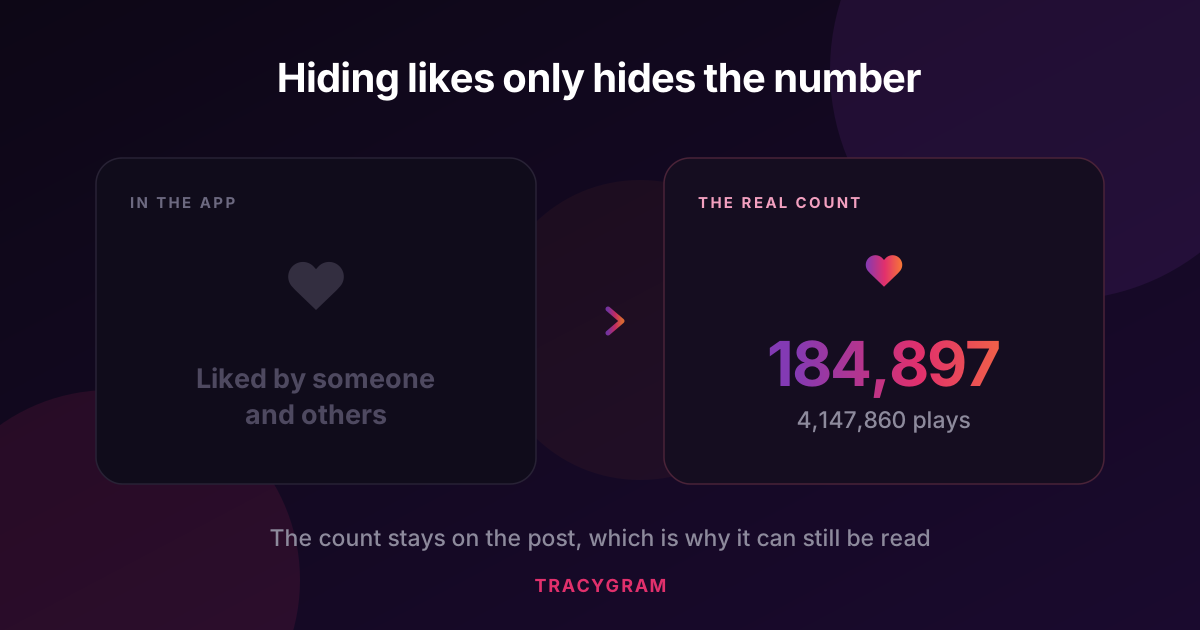
Here is the part most guides miss: switching likes off only changes what the app draws. The count is still attached to the post, which is why a likes viewer can read the real figure on a post that shows no number at all.
What Instagram actually changed, and when
Three separate changes get blended together, which is why the advice online contradicts itself. Keeping them apart makes the current situation much easier to reason about.
Worth knowing: those two settings are independent. Someone can have their own counts hidden from you while still seeing every number in their own feed. When a post shows no number, that is the poster's choice about their post, not something wrong on your end.
How to see who liked your own post
This one never broke. On your own content you get the complete list, in order, with no cap.
- Open the post from your profile grid.
- Tap the like count under the post. If you have counts hidden, tap Others in the "Liked by" line instead.
- Scroll the list. Every account that liked the post is there.
- Tap any name to open that profile, or use the follow buttons directly from the list.
If you hid your own like counts and want the number back for yourself, it is under Settings, then Privacy, then Posts. Turning it off only changes what other people see, so you never lose access to your own numbers.
How to see who liked someone else's post
This is where it gets murky, and where most articles either oversimplify or give up. Here is the honest breakdown of what is actually visible.
| What you want | Your own post | Someone else's public post | Private account |
|---|---|---|---|
| The like count | Always | Yes, unless they hid it | No |
| Names of people who liked | All of them | Part of the list | No |
| Count when it is switched off | Yes, you keep seeing it | Not in the app | No |
| Who liked a story | Yes | No | No |
| Everything one person has liked | No | No | No |
Read that middle column carefully. On a public post you can open the likes and see accounts, but Instagram is showing you a slice. On a post with two hundred thousand likes, nobody outside the poster is getting two hundred thousand names, in the app or anywhere else.
The claim to distrust: any tool or app promising the complete liker list of a large post. That data is not served publicly. A tool that says otherwise is either padding the list, or setting up a request for your login details.
The like count that is switched off
This is the useful part, and it is the gap in almost every guide on this subject.
Hiding likes is a display setting. It tells the app not to draw the number. It does not delete the number, and it does not detach it from the post. The post still carries its like total in the data Instagram serves publicly, which means it can still be read even when the app shows you "Liked by someone and others" with nothing next to it.
Our Instagram likes viewer reads exactly that figure. Paste a post link or type the username, and the real total appears whether or not the account has the number switched on. On reels you also get the play count, which answers a different question: how many people watched without tapping anything at all.
See the real count on any public post
Type a username or paste a post link. The exact like total, the recent likers, and reel play counts. No login, and nobody is notified.
Open the Likes ViewerWhat a likes viewer can and cannot pull
We build one, so this is worth being blunt about rather than vague. Vagueness here is how the category earned its bad reputation.
Four ideas that waste your time
These come up constantly. All four are dead ends.
Making a second account to look
A fresh account sees exactly what any logged out visitor sees on a public profile, and still nothing on a private one. It changes who Instagram thinks you are, not what data is public.
Apps that promise everything a person has liked
The feed that made this possible was removed in 2019. No public source replaced it. Apps still selling this are either guessing from public engagement or asking you to log in so they can read it as you, which hands over your account.
Waiting for the like list to load fully
On a busy post the list stops. That is not your connection or a loading bug. Instagram serves a portion and stops there for anyone who is not the poster.
Asking a tool to read story likes
Story likes and story viewers are private to the person who posted, full stop. There is no public endpoint, no workaround, and no tool with special access. If you want the same clarity on stories, our guide on whether people can see you viewed their story covers what is actually tracked.
Posts, reels and carousels behave differently
They look similar in a feed, but the numbers attached to them are not the same.
- Photo posts carry a like count and nothing else. Likes are the only public engagement signal.
- Reels carry likes and a play count. The gap between them is often enormous, and it tells you more about reach than likes alone ever could.
- Carousels carry one like count for the whole set, not per slide. Someone who liked while looking at slide four counts once.
- Stories carry nothing public. Views, likes and replies all stay with the poster.
If you are checking a creator before a deal: compare the like count against the play count on their reels, not against the follower count. A reel with 3 million plays and 60,000 likes is behaving normally. The same reel with 400 likes is telling you something the follower number is hiding.
Frequently asked questions
Open the post and tap the likes line. On a public post Instagram shows a list of accounts that liked it, though on a busy post you are seeing part of it rather than all of it. Only the person who posted gets the complete list inside the app. If you want a readable version of the recent likers plus the exact total, a likes viewer pulls the same public data into one list you can search.
That account turned its like count off. Instagram added the switch in May 2021 and it lives under Settings, Privacy, Posts. It hides the number from everyone else while the owner still sees their own. The post itself still carries the count, which is why a viewer tool can report it.
Not inside the Instagram app, which asks you to log in before it shows much of anything. A browser-based likes viewer works without an account because it only reads what Instagram already serves publicly.
No. Reading a post is not an interaction. There is no notification for looking at a like list, whether you do it in the app or through a viewer, and no entry appears anywhere the poster can check.
No. A private account serves nothing to anyone outside its approved followers. That applies to the app, to the web, and to every third party tool. If someone claims to read private posts, they are either lying or asking you to hand over your login.
Around one hundred of the most recent ones. The total is exact, but the name list is a sample. A post with two hundred thousand likes has two hundred thousand likers and no public tool lists them all. Treat any tool promising the full list as a warning sign.
No. Story likes and the story viewer list stay private to the person who posted, and Instagram has never exposed them publicly. Nothing can read them, and tools claiming otherwise are guessing.
Instagram removed the Following activity feed that used to show this in 2019. There is no public way to list what one account has liked across the app. Anything selling that feature is either scraping at scale or making it up.